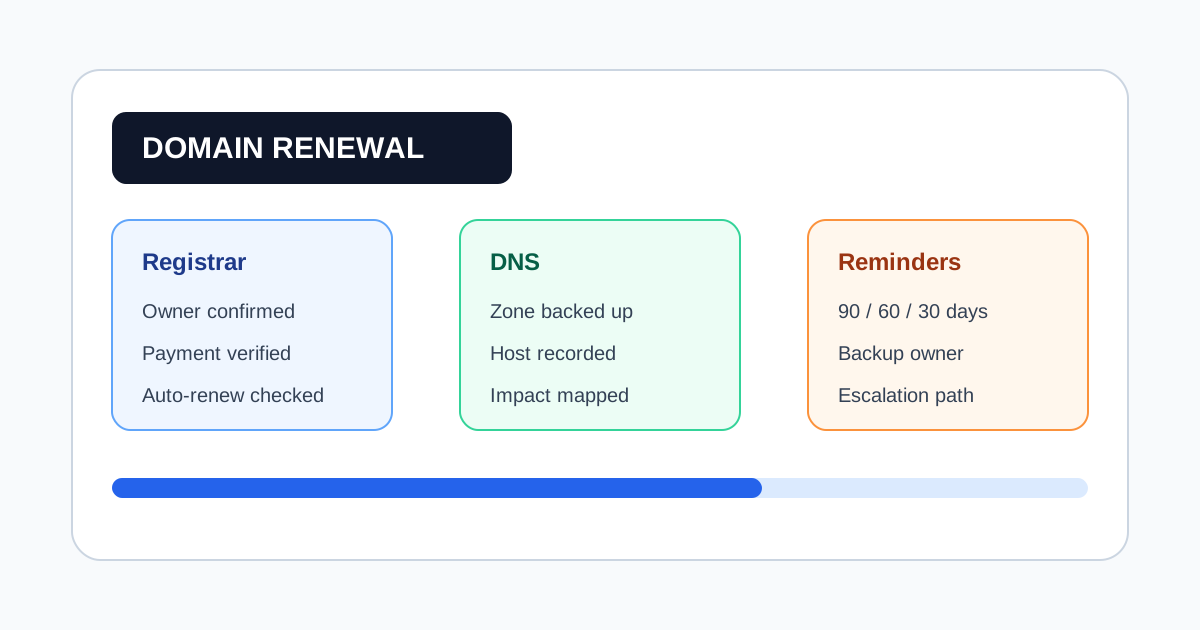
Domain Expiration Checklist: Renewal Controls Before DNS Breaks
Domain renewals look simple until the wrong card expires, the registrar account belongs to a former employee, or a certificate renewal is confused with a domain renewal. The safest process treats every domain as an operational asset with an owner, a payment path, and an escalation plan.
Use this checklist to prevent expired domains, DNS outages, missed grace periods, and ownership drift.
1. Record Ownership Before Renewal Dates Matter
For every domain, store:
- Registrar name and account email
- Domain owner and backup owner
- Renewal date and grace period
- Auto-renew status
- Payment method owner
- DNS host
- Critical services attached to the domain
The backup owner matters because renewal failures often happen when the primary owner is unavailable.
2. Separate Domain, DNS, and Certificate Risk
A domain can be paid while DNS is misconfigured. A certificate can expire while the domain is safe. Track them as related but separate records:
- Domain registration expiration
- DNS provider ownership
- SSL/TLS certificate expiration
- Email routing records
- CDN or hosting provider renewal
This prevents teams from treating one green status as proof that the whole domain surface is safe.
3. Verify Auto-Renew Instead of Trusting It
Auto-renew is useful, but it is not a control by itself. Verify:
- The payment method is current
- The registrar account has renewal permission
- The domain is not locked by billing or identity verification
- Renewal notices reach a monitored inbox
- The backup owner can access the registrar
Set an external reminder even when auto-renew is enabled.
4. Use Multiple Reminder Windows
One reminder is easy to miss. Use staged reminders:
- 90 days: ownership and payment review
- 60 days: registrar access check
- 30 days: renewal decision and DNS dependency review
- 14 days: owner escalation
- 3 days: urgent operational alert
High-value domains should route alerts to both business and technical owners.
5. Keep Recovery Data Close to the Asset
If a domain expires, recovery speed depends on having the right data ready:
- Registrar support URL
- Account recovery email
- Payment contact
- Internal service owner
- DNS export or zone backup location
- Last successful renewal date
This turns a renewal incident from a search problem into an execution problem.
6. Review the Portfolio Monthly
Monthly review catches domains that never make it into a spreadsheet:
- Newly purchased domains
- Domains transferred between registrars
- Marketing microsites
- Product experiment domains
- Domains connected to OAuth callbacks or email routing
If a domain can affect login, email, payments, customer traffic, or search visibility, it belongs in the same registry as production infrastructure.
Domain Renewal Control Template
Use this minimum record:
| Field | Example |
|---|---|
| Domain | example.com |
| Registrar | Namecheap |
| Owner | Infrastructure |
| Backup owner | Security |
| Renewal date | 2026-09-30 |
| Auto-renew | Enabled |
| Payment owner | Finance |
| DNS host | Cloudflare |
| Criticality | High |
| Reminder windows | 90, 60, 30, 14, 3 days |
Final Check
The goal is not only to renew the domain. The goal is to prove that the right person will know before renewal failure can affect customers, authentication, email, or revenue.
Frequently Asked Questions
Is registrar auto-renew enough to prevent domain expiration?
No. Auto-renew still depends on payment, account access, registrar notices, and correct ownership records. Use an external reminder and review process.
Should SSL certificates and domains be tracked together?
They should be visible in the same inventory, but tracked as separate assets because certificate and domain renewal windows often differ.
How often should a domain portfolio be reviewed?
Review the next 90 days at least monthly, and review critical domains more often when ownership or payment details change.
Related Articles
- Renewal Calendar Workflow for Subscriptions, Domains, and Phone Numbers
- Digital Asset Inventory Template for Expiration Risk
- How to Prevent Google Voice Number from Expiring
Last Updated: June 15, 2026