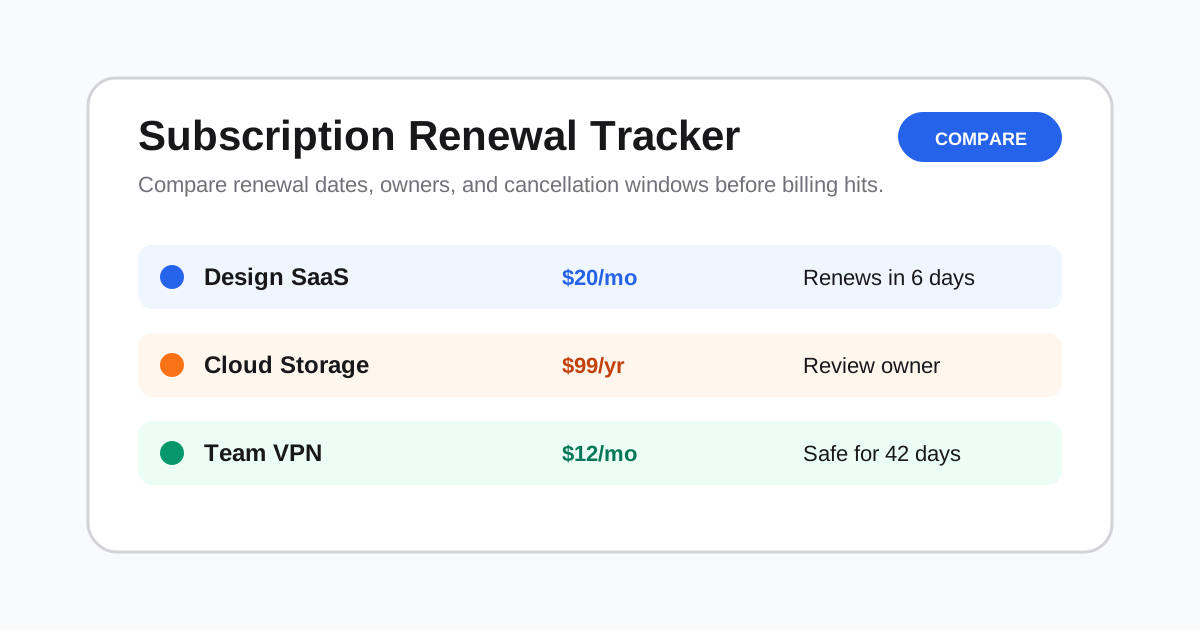
Best Subscription Tracking Apps in 2025: Complete Comparison Guide
The average American pays for 12 subscription services and spends over $273 per month on subscriptions. Even worse, most people underestimate their subscription spending by 2.5x. Forgotten subscriptions, free trials that auto-renew, and services you no longer use can drain hundreds—even thousands—of dollars from your bank account every year.
The solution? Subscription tracking apps. These tools help you discover hidden subscriptions, track renewal dates, cancel unwanted services, and take control of your recurring expenses.
In this comprehensive guide, we'll review the 10 best subscription tracking apps in 2025, compare their features and pricing, and help you choose the perfect tool for your needs.
Table of Contents
- Why You Need a Subscription Tracker
- What to Look for in a Subscription Tracker
- Top 10 Subscription Tracking Apps
- Feature Comparison Table
- Pricing Comparison
- Our Top Recommendations
- Frequently Asked Questions
- Conclusion
Why You Need a Subscription Tracker
The Subscription Problem
Subscription creep is real. Here's what typical households face:
- Streaming services: Netflix, Disney+, Hulu, HBO Max, Apple TV+ ($50-80/month)
- Music: Spotify, Apple Music ($10-15/month)
- Cloud storage: iCloud, Google One, Dropbox ($10-20/month)
- Productivity: Microsoft 365, Adobe Creative Cloud ($20-50/month)
- Fitness: Peloton, Apple Fitness+, ClassPass ($20-40/month)
- News & Media: NYT, WSJ, Medium ($20-40/month)
- Gaming: Xbox Game Pass, PlayStation Plus, Nintendo Online ($15-25/month)
Total monthly cost: Easily $150-270+
Hidden Costs
Beyond the obvious, there are sneaky subscription costs:
- Free trials that auto-renew (you forgot to cancel)
- Annual renewals (surprise $99 charge)
- Price increases (services quietly raise prices)
- Duplicate services (paying for Spotify AND Apple Music)
- Unused memberships (gym you haven't visited in 6 months)
The ROI of Tracking
Studies show that people save $512 per year on average after using a subscription tracker for 6 months. That's:
- ✅ Identifying 3-5 forgotten subscriptions
- ✅ Canceling 2-3 unused services
- ✅ Downgrading from premium to basic plans
- ✅ Avoiding surprise annual renewals
What to Look for in a Subscription Tracker
When choosing a subscription tracking app, consider these key features:
Must-Have Features
- ✅ Automatic detection (scans bank/credit card statements)
- ✅ Manual entry (for cash or non-linked accounts)
- ✅ Renewal reminders (before charges hit)
- ✅ Cancellation assistance (direct links or auto-cancel)
- ✅ Spending analytics (monthly/yearly totals, trends)
Nice-to-Have Features
- 📊 Bill negotiation (AI negotiates lower rates)
- 🔐 Privacy protection (no data selling)
- 📱 Mobile app (iOS and Android)
- 💳 Multiple accounts (track across credit cards)
- 🔔 Price change alerts (when subscriptions raise prices)
Pricing Models
- Free: Basic features, limited subscriptions
- Freemium: Core features free, advanced paid ($5-10/month)
- Paid: Full-featured ($5-15/month)
- Percentage-based: Takes % of savings (Rocket Money model)
Top 10 Subscription Tracking Apps
#1: ExpireLater - Best for Digital Assets
What it does: ExpireLater goes beyond subscriptions—it tracks phone numbers, domains, and subscriptions all in one place.
Best for: Tech-savvy users managing Google Voice numbers, domains, SaaS subscriptions
Key Features:
- ✅ Tracks subscriptions + phone numbers + domains
- ✅ Intelligent expiration calculation
- ✅ Multi-channel reminders (Email, Telegram, WeCom)
- ✅ Calendar integration (iCal)
- ✅ Privacy mode
- ✅ 100% free for basic use
Pricing: Free (Pro: $4.99/month coming soon)
Pros:
- All-in-one digital asset management
- Free forever for core features
- No credit card required
- Privacy-first (no data selling)
Cons:
- No automatic bank scanning (manual entry only)
- Pro features not yet available
Best for: Users who want to track subscriptions AND other digital assets like virtual phone numbers.
#2: Rocket Money (formerly Truebill) - Best Overall
What it does: Comprehensive subscription management with bill negotiation.
Best for: Users who want hands-off management and bill negotiation
Key Features:
- ✅ Automatic subscription detection via bank sync
- ✅ One-click cancellation
- ✅ Bill negotiation (save on cable, internet, phone)
- ✅ Spending insights and budgeting
- ✅ Overdraft protection
Pricing: Free basic / Premium $6-12/month (or 40% of savings from negotiation)
Pros:
- Excellent automatic detection
- Bill negotiation can save hundreds
- Clean, intuitive interface
Cons:
- Pricing model can be expensive (40% of savings)
- Requires linking bank accounts
#3: Bobby - Best Simple Tracker
What it does: Clean, minimalist subscription tracking without bank linking.
Best for: Privacy-conscious users who want manual control
Key Features:
- ✅ Manual subscription entry
- ✅ Beautiful iOS/Android app
- ✅ Renewal reminders
- ✅ Spending analytics
- ✅ iCloud sync across devices
Pricing: Free (Premium $0.99/month)
Pros:
- No bank linking required (privacy)
- Gorgeous design
- Very affordable
Cons:
- Manual entry only (no auto-detection)
- Limited features in free version
#4: Mint - Best Free Option
What it does: Full personal finance app with subscription tracking.
Best for: Users wanting all-in-one budgeting + subscription tracking
Key Features:
- ✅ Free forever
- ✅ Automatic subscription detection
- ✅ Full budgeting tools
- ✅ Bill pay reminders
- ✅ Credit score monitoring
Pricing: 100% Free
Pros:
- Completely free
- Comprehensive financial tools
- Owned by Intuit (trusted brand)
Cons:
- Ad-supported
- Cluttered interface (too many features)
- Being shut down in 2024 (migrating to Credit Karma)
#5: Subscriptions - Best for iPhone Users
What it does: iOS-native subscription tracker with Siri integration.
Best for: Apple ecosystem users
Key Features:
- ✅ Native iOS app
- ✅ Siri shortcuts
- ✅ Widget support
- ✅ iCloud sync
- ✅ Manual + auto-import
Pricing: $1.99 one-time purchase
Pros:
- One-time purchase (no subscription!)
- Deep iOS integration
- Widget for home screen
Cons:
- iOS only (no Android)
- No web version
#6: YNAB (You Need A Budget) - Best for Budgeters
What it does: Zero-based budgeting with subscription tracking built-in.
Best for: Serious budgeters who want holistic financial control
Key Features:
- ✅ Zero-based budgeting methodology
- ✅ Subscription tracking as part of budgeting
- ✅ Goal tracking
- ✅ Real-time sync across devices
- ✅ Educational resources
Pricing: $14.99/month or $99/year
Pros:
- Powerful budgeting methodology
- Active community and education
- Subscription tracking integrated naturally
Cons:
- Expensive for just subscription tracking
- Steeper learning curve
- Subscription focused, not ideal for non-budgeters
#7: Trim - Best AI-Powered
What it does: AI assistant that finds and cancels subscriptions automatically.
Best for: Users who want set-it-and-forget-it automation
Key Features:
- ✅ AI-powered subscription discovery
- ✅ Automatic cancellation (with permission)
- ✅ Bill negotiation
- ✅ Spending analysis
- ✅ SMS interface
Pricing: Free (Premium $10/month)
Pros:
- AI does the work for you
- SMS-based (no app needed)
- Bill negotiation included
Cons:
- Requires bank account access
- Takes 33% of savings from negotiation
#8: TrackMySubs - Best Web-Based
What it does: Simple web-based subscription tracker.
Best for: Users who prefer browser over apps
Key Features:
- ✅ Web-based (no app install)
- ✅ Manual entry
- ✅ Renewal calendar
- ✅ Spending reports
- ✅ Export to CSV
Pricing: Free
Pros:
- Completely free
- Works on any device with browser
- No account linking required
Cons:
- Basic features only
- Manual entry only
- No mobile app
#9: PocketGuard - Best for Quick Insights
What it does: Budgeting app with subscription tracking and "In My Pocket" feature.
Best for: Users who want to know exactly how much they can spend
Key Features:
- ✅ "In My Pocket" calculation
- ✅ Automatic subscription detection
- ✅ Bill tracking
- ✅ Savings goals
- ✅ Debt payoff tools
Pricing: Free (Plus $12.99/month or $74.99/year)
Pros:
- Unique "what can I spend" feature
- Good balance of simplicity and power
- Automatic detection
Cons:
- Premium features locked behind paywall
- Interface can be confusing
#10: SubTrackr - Best Open Source
What it does: Privacy-focused, open-source subscription tracker.
Best for: Tech users who value transparency and control
Key Features:
- ✅ Open source (self-hostable)
- ✅ Manual entry
- ✅ Renewal reminders
- ✅ Multiple currencies
- ✅ Export data
Pricing: Free
Pros:
- 100% free and open source
- Complete privacy control
- Self-hostable
Cons:
- Requires technical setup
- No automatic detection
- Basic UI
Feature Comparison Table
| Feature | ExpireLater | Rocket Money | Bobby | Mint | YNAB | Trim |
|---|---|---|---|---|---|---|
| Auto-detect subscriptions | ❌ | ✅ | ❌ | ✅ | ✅ | ✅ |
| Manual entry | ✅ | ✅ | ✅ | ✅ | ✅ | ✅ |
| Renewal reminders | ✅ | ✅ | ✅ | ✅ | ✅ | ✅ |
| One-click cancel | ❌ | ✅ | ❌ | ❌ | ❌ | ✅ |
| Bill negotiation | ❌ | ✅ | ❌ | ❌ | ❌ | ✅ |
| Tracks digital assets | ✅ | ❌ | ❌ | ❌ | ❌ | ❌ |
| Privacy mode | ✅ | ❌ | ✅ | ❌ | ❌ | ❌ |
| Calendar integration | ✅ | ❌ | ❌ | ❌ | ❌ | ❌ |
| Mobile app | ✅ | ✅ | ✅ | ✅ | ✅ | ✅ |
| Free tier | ✅ | ✅ | ✅ | ✅ | ❌ | ✅ |
| No bank linking required | ✅ | ❌ | ✅ | ❌ | ❌ | ❌ |
Pricing Comparison
| App | Free Plan | Paid Plan | Pricing Note |
|---|---|---|---|
| ExpireLater | ✅ Unlimited | Free plan available; paid tiers planned | Best fit when privacy and manual ownership records matter |
| Rocket Money | ✅ Basic | $6-12/mo or 40% savings | Higher cost if you use bill negotiation |
| Bobby | ✅ Limited | $0.99/mo | Low-cost personal tracker |
| Mint | ✅ Full | Free (ads) | Free if you tolerate ads and account linking |
| Subscriptions | ❌ | $1.99 one-time | Good one-time price for iPhone-only use |
| YNAB | ❌ | $14.99/mo | Budgeting suite price, not only subscription tracking |
| Trim | ✅ Basic | $10/mo or 33% savings | Negotiation model changes the cost calculation |
| PocketGuard | ✅ Basic | $12.99/mo | Broader personal finance tool |
Our Top Recommendations
Best Overall: ExpireLater
Perfect for: Users who want to track subscriptions AND digital assets (phone numbers, domains) without bank linking.
- ✅ 100% free forever
- ✅ Privacy-first (no bank access needed)
- ✅ Multi-asset tracking
- 👉 Try ExpireLater Free
Best for Automatic Detection: Rocket Money
Perfect for: Users who want hands-off management and don't mind bank linking.
- ✅ Excellent auto-detection
- ✅ Bill negotiation
- ⚠️ Expensive if using negotiation feature
Best Budget Option: Bobby
Perfect for: Privacy-conscious users on a budget.
- ✅ Beautiful design
- ✅ Only $0.99/month
- ⚠️ Manual entry only
Best for Serious Budgeters: YNAB
Perfect for: Users committed to zero-based budgeting.
- ✅ Powerful methodology
- ✅ Integrated subscription tracking
- ⚠️ Pricey ($15/month)
Frequently Asked Questions
Q: Do I need to link my bank account?
A: Not always. Apps like ExpireLater, Bobby, and Subscriptions work without bank linking. Others like Rocket Money and Mint require it for automatic detection.
Privacy tip: If concerned about security, choose a manual-entry app.
Q: Can these apps actually cancel subscriptions for me?
A: Some can (Rocket Money, Trim), but most just remind you. ExpireLater provides direct links to cancellation pages.
Q: How much money can I realistically save?
A: Average users save $512/year by:
- Finding 3-5 forgotten subscriptions ($15-30/month)
- Canceling 2-3 unused services ($20-40/month)
- Downgrading plans ($10-20/month)
Q: Are subscription trackers safe?
A: Yes, if you choose reputable apps. Look for:
- ✅ Bank-level encryption
- ✅ Read-only access to accounts
- ✅ Transparent privacy policies
- ✅ No data selling
Safest option: Manual-entry apps that don't require bank linking (ExpireLater, Bobby).
Q: What if I have subscriptions billed annually?
A: All apps support annual subscriptions. Look for:
- 📅 Annual renewal reminders
- 💡 Monthly cost breakdown (shows $99/year as $8.25/month)
- 🔔 Alerts 30+ days before renewal
ExpireLater excels at this with multi-threshold reminders (30, 7, 3, 1 day before).
Q: Can I track subscriptions across multiple currencies?
A: Most apps support multi-currency. Check app details or use ExpireLater which handles any currency.
Conclusion
Subscription tracking isn't just about saving money—it's about taking control of your digital life. With the average person spending $273/month on subscriptions, using the right tracker can save you hundreds of dollars per year.
Quick Decision Guide:
Choose ExpireLater if:
- ✅ You want to track subscriptions AND digital assets
- ✅ Privacy is a priority (no bank linking)
- ✅ You prefer free tools
- ✅ You need calendar integration
Choose Rocket Money if:
- ✅ You want automatic detection
- ✅ Bill negotiation appeals to you
- ✅ You're okay with bank linking
Choose Bobby if:
- ✅ You love beautiful design
- ✅ Privacy is critical
- ✅ You prefer manual control
Choose YNAB if:
- ✅ You're serious about budgeting
- ✅ Subscription tracking is just one part of your financial goals
Take Action Today
Don't let another month of forgotten subscriptions drain your wallet. Pick a tool and start tracking now:
- Sign up for your chosen app (we recommend ExpireLater to start)
- Add all subscriptions (check bank statements for the last 3 months)
- Set reminders for upcoming renewals
- Review monthly and cancel what you don't use
You could save $500+ this year. That's a weekend getaway, a new laptop, or boosted savings. Start today!
Ready to Take Control of Your Subscriptions?
ExpireLater helps you track subscriptions, phone numbers, domains, and all your digital assets in one place—100% free.
Related Articles
- How to Prevent Google Voice Number from Expiring
- Domain Expiration Checklist: Renewal Controls Before DNS Breaks
- Digital Asset Inventory Template for Expiration Risk
Tags
#SubscriptionTracker #MoneySaving #AppComparison #PersonalFinance #SaaSManagement #DigitalAssets
Last Updated: January 18, 2026
Have questions? Contact us at hello@expirelater.com