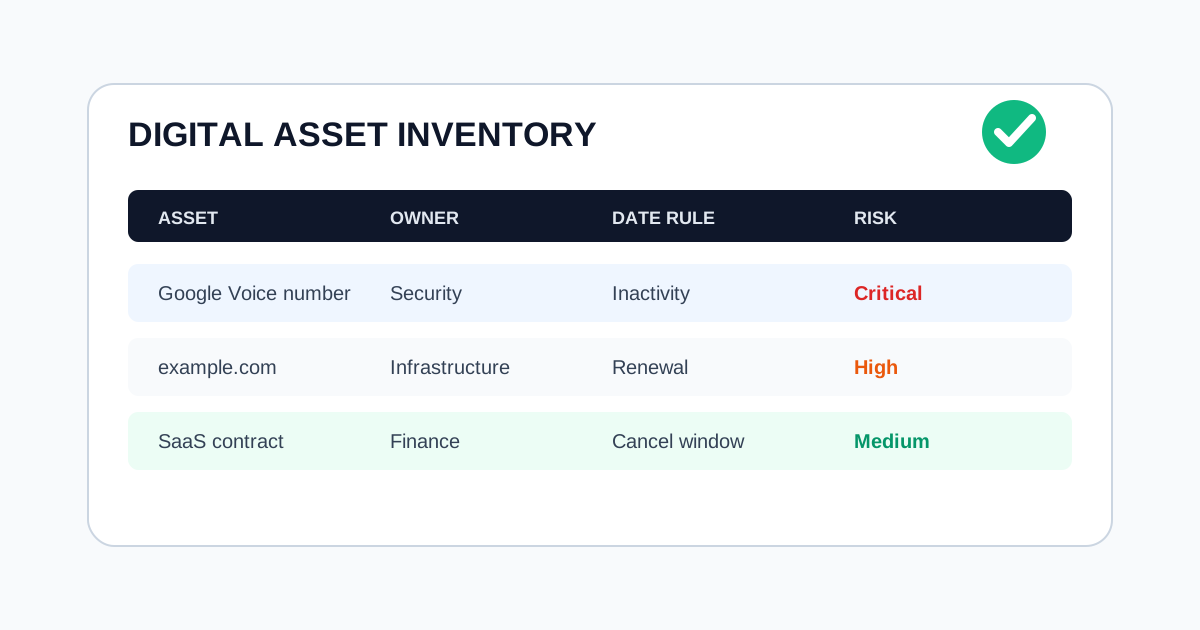
Digital Asset Inventory Template for Expiration Risk
Most asset inventories describe what the company owns. Expiration risk requires one more question: what happens if nobody acts before the renewal or inactivity window closes?
This template helps teams track the assets that can lock users out, interrupt billing, break infrastructure, or create avoidable security work.
What Counts as an Expiring Digital Asset?
Include any asset with a date, activity window, payment dependency, or ownership risk:
- Phone numbers used for 2FA or customer contact
- Domains and DNS zones
- SSL/TLS certificates
- SaaS subscriptions
- Cloud commitments and reserved instances
- API keys and integration credentials
- App store developer accounts
- Webhook endpoints owned by third parties
If losing it would trigger recovery work, it belongs in the inventory.
Required Fields
Start with these fields:
| Field | Why it matters |
|---|---|
| Asset name | Human-readable identifier |
| Asset type | Domain, phone number, subscription, certificate, other |
| Provider | Registrar, SaaS vendor, carrier, cloud platform |
| Owner | Person or team accountable for action |
| Backup owner | Escalation path if the owner is unavailable |
| Renewal or inactivity date | The date that creates risk |
| Rule type | Fixed renewal, inactivity window, usage threshold |
| Criticality | Business impact if missed |
| Notification channels | Email, Slack, Telegram, calendar, incident tool |
| Evidence | Last check-in, invoice, renewal receipt, owner review |
Add the Operating Rule
The inventory should not only list dates. It should state what action keeps the asset safe:
- Send a text from this number every 60 days
- Renew this domain 30 days before expiration
- Review this subscription before the cancellation window closes
- Rotate this credential before the owner leaves the team
- Confirm this certificate is renewed by automation
Rules prevent ambiguous reminders like "check domain" or "review subscription."
Assign Escalation by Impact
Not every asset needs the same alert path. Use impact tiers:
- Low: personal utility or non-critical subscription
- Medium: team workflow, marketing site, internal tool
- High: login, payments, customer communication, production infrastructure
- Critical: outage, account lockout, revenue interruption, compliance evidence
Critical assets should alert more than one person.
Keep Evidence Lightweight
Evidence does not need to become bureaucracy. Useful evidence includes:
- Check-in timestamp
- Renewal receipt
- Provider screenshot
- Calendar event
- Owner acknowledgement
- Exported CSV before a risky change
The point is to show that the asset was reviewed before the risk window closed.
Monthly Review Workflow
Run this review once a month:
- Add new domains, subscriptions, phone numbers, and credentials.
- Remove assets that no longer exist.
- Confirm owners and backup owners.
- Review high and critical assets in the next 90 days.
- Export or snapshot the list for audit evidence.
Final Check
A good inventory makes expiration risk visible before it becomes urgent. If every critical asset has an owner, rule, reminder, and evidence trail, the team can act before access disappears.
Frequently Asked Questions
What belongs in a digital asset inventory?
Track any account, number, domain, subscription, certificate, API key, or workflow dependency that can expire, go inactive, or lose ownership context.
Who should own each inventory item?
Each item should have a primary owner, backup owner, escalation path, and a clear review cadence tied to business impact.
What evidence should be kept for expiration risk?
Keep lightweight evidence such as last check-in date, renewal confirmation, owner change notes, and the alert or escalation that closed the loop.
Related Articles
- Domain Expiration Checklist: Renewal Controls Before DNS Breaks
- Renewal Calendar Workflow for Subscriptions, Domains, and Phone Numbers
- Best Subscription Tracking Apps in 2025
Last Updated: June 15, 2026